Accident Log
The Accident Log is your club's legal accident book. Coaches file reports at the scene; this is where you review them, deal with anything reportable, and produce records for insurers or your national governing body. Coaches can see how they file one in Reporting an accident.
The log
Find it at Accident Log in the sidebar. Reports are listed newest first, showing when it happened, the athlete, the injury, the outcome, whether parents were told, and the RIDDOR status.
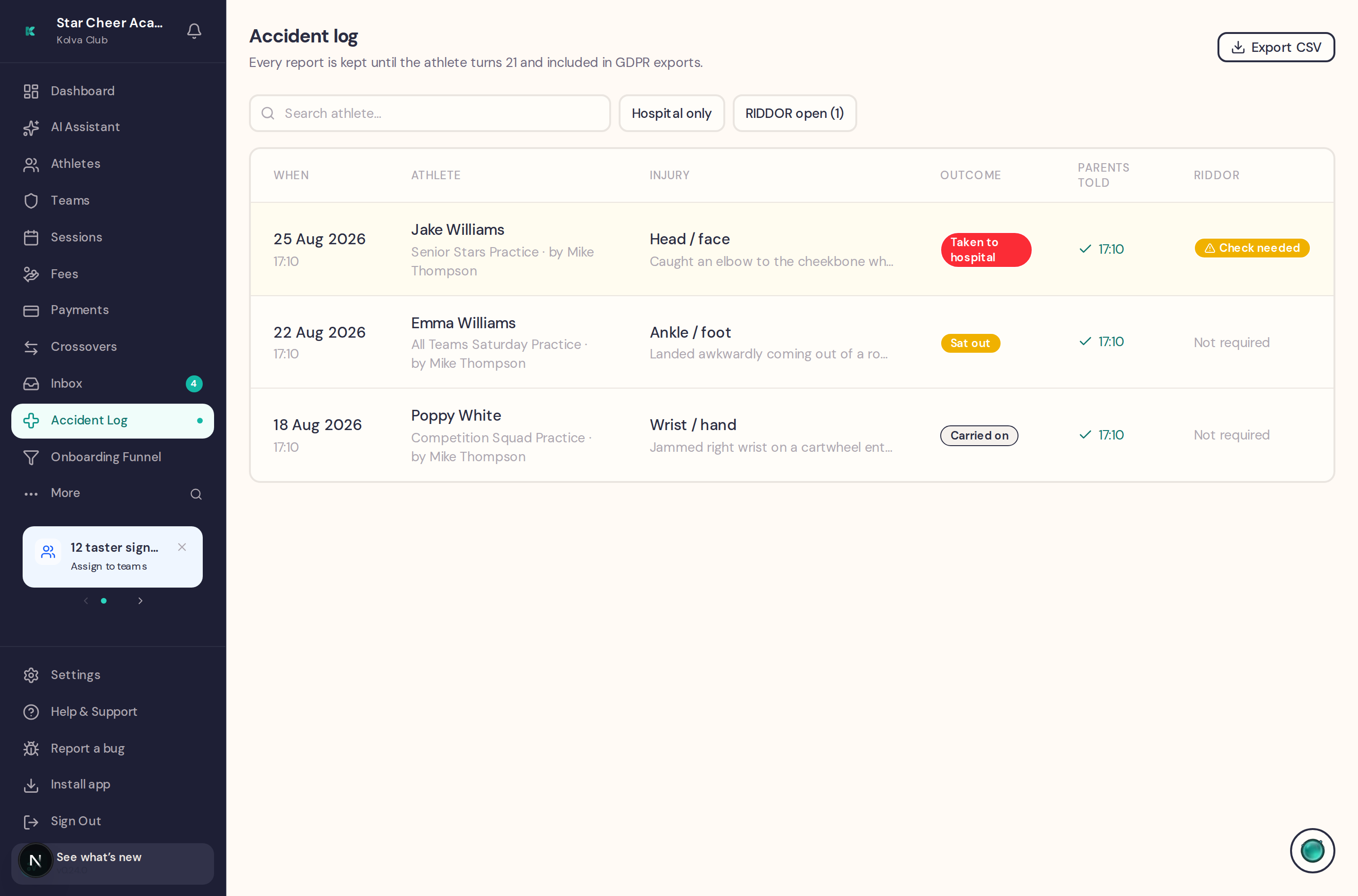
- Search athlete — find every report for one child
- Hospital only — the serious end of the log
- RIDDOR open — anything still awaiting your decision. The count in the button is your to-do list.
- Export CSV — the reports currently listed, after any search or filter, for insurers, NGB audits or your own records. The log holds the 200 most recent reports, so a longer history won't all come through.
Filing a report yourself
File a report (top right of the log) records an accident nobody filed at the scene — the coach was busy, it reached you the next morning, it happened outside a session, or the person hurt wasn't on that session's register. It's the same form the coaches use, with four differences:
- The athlete picker covers the whole club — search by name, not limited to one session's register
- The session is optional — leave it as “not during a session”, or pick one from the sessions on the date you chose
- When is back-datable — set it to when the accident actually happened. Future dates are still refused. The log shows both dates, so a back-filled report never reads as if it were written at the scene.
- First aider is free text and starts empty — type whoever actually treated them. Your name is recorded separately as the person who entered the report.
“Email the written record to parents” is on by default. Leave it on and every linked parent gets the same written-record email a coach's report sends, now, dated as of the accident. Turn it off only when the family was already told at the time — the report then records that you chose not to email, and the log shows “recorded retrospectively” rather than looking like a missed duty of care.
The RIDDOR check
When a coach records Taken to hospital, the report opens a RIDDOR check and shows an amber banner. Open the report to deal with it.
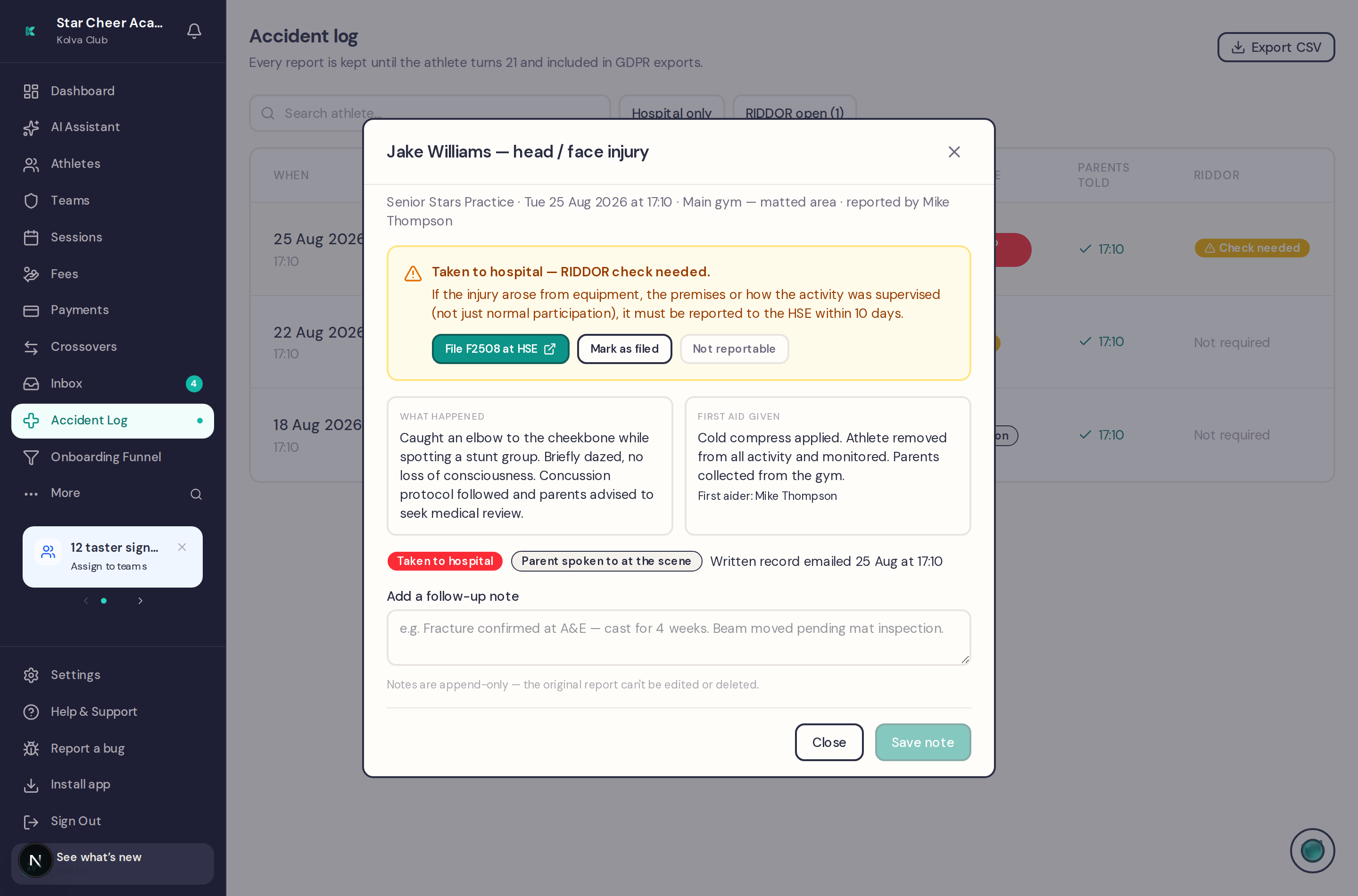
RIDDOR (Reporting of Injuries, Diseases and Dangerous Occurrences Regulations) requires certain injuries to be reported to the HSE. The test is roughly: did the injury arise from the equipment, the premises, or how the activity was supervised — rather than from normal participation in the sport? A gymnast who lands awkwardly doing a skill they were competent at is usually not reportable. One hurt by a badly placed mat, faulty equipment or inadequate supervision may well be.
If it is reportable, it must reach the HSE within 10 days on form F2508. The banner links straight to the HSE form. Once you've dealt with it, record the decision:
- Mark as filed — you submitted F2508
- Not reportable — you assessed it and it doesn't meet the threshold
Either way the decision is recorded against the report with your name and the date, so there's an audit trail showing the check was actually done.
Kolva never files with the HSE on your behalf. It prompts, tracks and records the decision — but submitting the F2508 is always a person's job. The legal duty sits with the club, not the software.
Follow-up notes
Reports can't be edited or deleted — by anyone, including you. An accident book that can be rewritten after the fact is worthless in a dispute. What you can do is append a dated follow-up note: the outcome at A&E, a fracture confirmed, equipment moved pending inspection, or a correction to something the coach got wrong in the moment.
Notes stack up in order, so the record reads as a history rather than a final answer.
Coaches of that athlete can read follow-up notes — that is the point of them for the coach taking the next session (“sprain confirmed, two weeks out”). Anything you don't want a coach to read — a family circumstance, an insurance or HR matter — belongs somewhere else, not in the note.
On the athlete's record
Every report also appears, read-only, in the Accident Reports section of the athlete's Medical tab, so anyone looking at that child sees their injury history in one place.
Retention and GDPR
- Nobody can delete a report in Kolva Club, and the club's policy is to keep them until the athlete turns 21 — injuries to children can be litigated long after the fact
- They are included in GDPR data exports, for both the club and the parent
- They are exempt from erasure requests. If a family asks to be deleted, the accident record survives — UK GDPR allows retention where it's needed to establish or defend legal claims. The athlete's name is kept on the report itself so it still makes sense after the rest of the record is gone.
Who can see what
- Admins — the full log, filing new reports, RIDDOR decisions and follow-up notes
- Coaches — can file reports, and see a read-only view of recent ones: the last 90 days, for athletes on the teams they coach, whoever filed them. It shows the injury, the first aid and any follow-up note; it does not show RIDDOR status or whether parents were emailed, and coaches can't add notes. It appears as a “Recent accidents” card on their dashboard and as a marker beside an athlete's name on the session register. A report whose athlete has since been deleted stays admin-only.
- Cover coaches (those with Sees all club sessions) — the same read-only view, widened to the whole club, since they take whatever session is on
- Parents — see only their own children's reports, read-only. Unchanged by any of the above.
Coach reads are audit-logged exactly like admin reads — this is children's health data, and the trail shows who looked, not just who wrote.